> ## Documentation Index
> Fetch the complete documentation index at: https://opensource.weam.ai/docs/llms.txt
> Use this file to discover all available pages before exploring further.
# Storage
The Storage section provides comprehensive management of storage requests and usage monitoring across your workspace. This helps administrators manage storage allocation efficiently while tracking individual user consumption.
## Accessing Storage Management
1. Navigate to Settings from the main interface
2. Select "Storage" from the settings sidebar
3. Choose between two main tabs: Storage Request and Storage Usage
## Storage Request Management
 ### Viewing Storage Requests
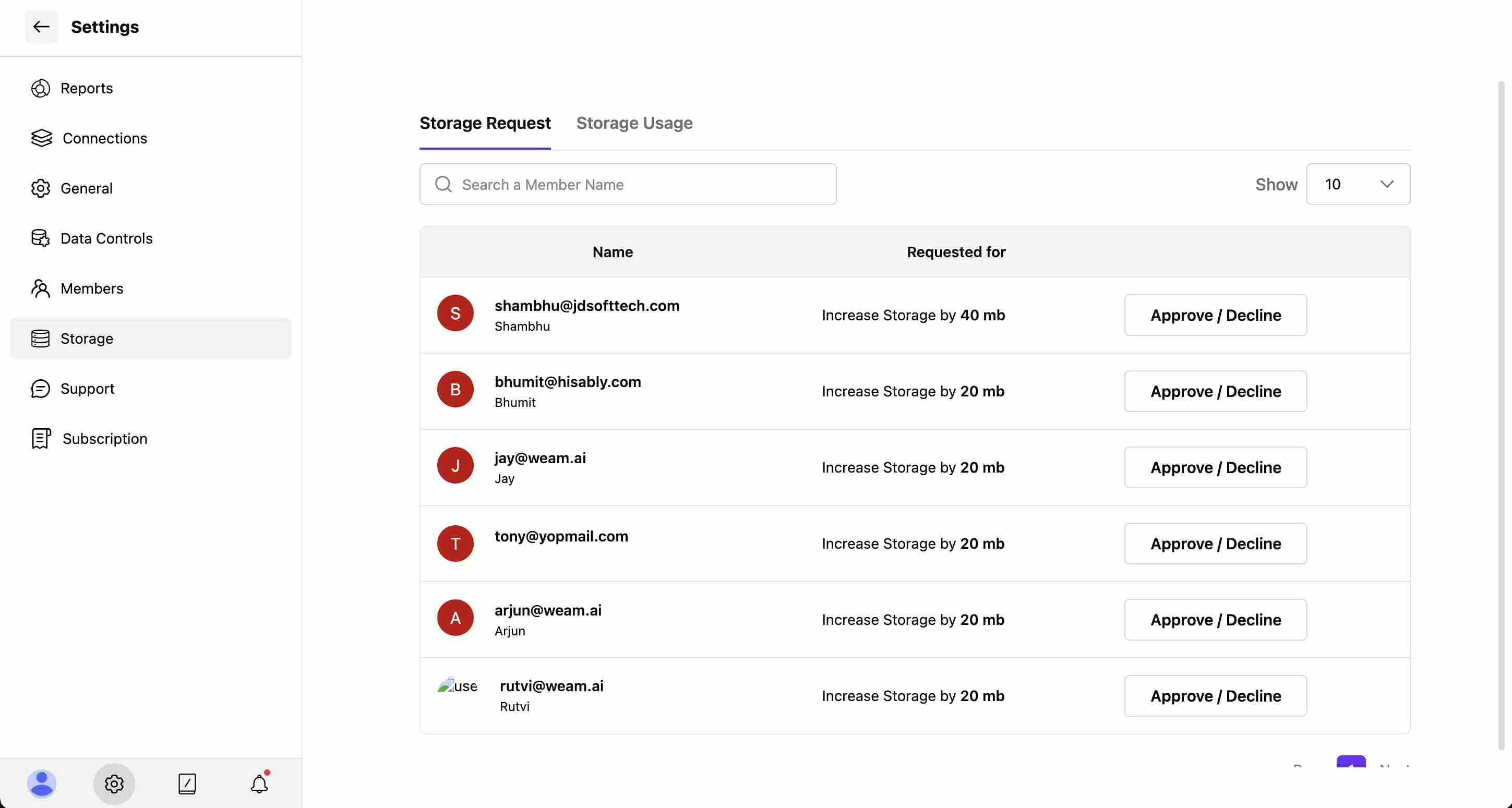
The Storage Request tab displays pending requests from team members who need additional storage allocation.
#### Request Information
Each storage request shows:
* **Name**: Full name of the requesting user
* **Email**: User's email address for identification
* **Requested for**: Specific storage increase amount (e.g., "Increase Storage by 40 mb")
* **Action Button**: "Approve / Decline" option for each request
### Viewing Storage Requests
The Storage Request tab displays pending requests from team members who need additional storage allocation.
#### Request Information
Each storage request shows:
* **Name**: Full name of the requesting user
* **Email**: User's email address for identification
* **Requested for**: Specific storage increase amount (e.g., "Increase Storage by 40 mb")
* **Action Button**: "Approve / Decline" option for each request
 #### Request Details Modal
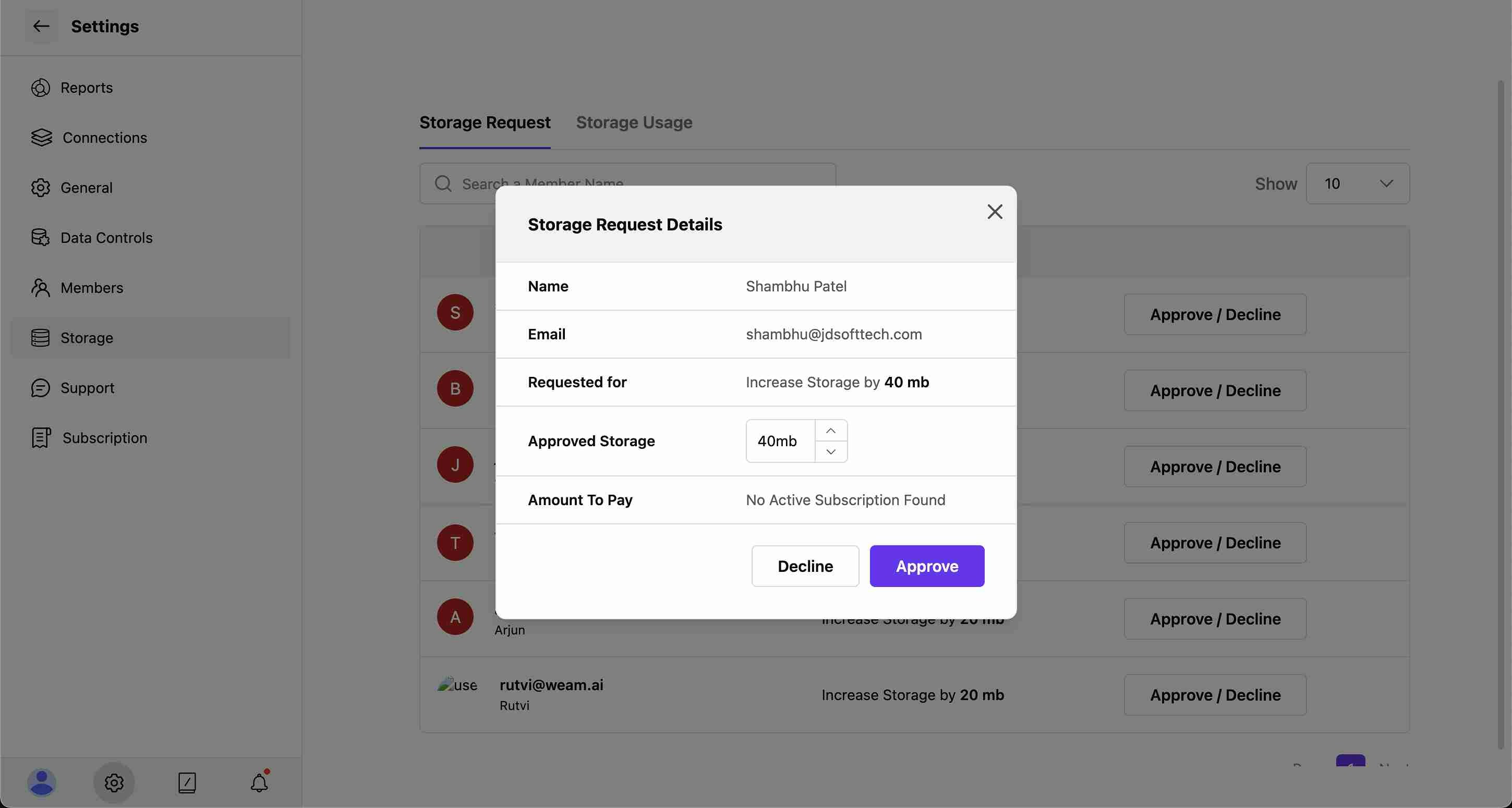
Clicking "Approve / Decline" opens a detailed view showing:
* **Name**: User's full name
* **Email**: Contact information
* **Requested for**: Exact storage increase amount
* **Approved Storage**: Adjustable dropdown to set approved amount (e.g., 40mb)
* **Amount To Pay**: Payment information or subscription status
* **Action Buttons**: "Decline" or "Approve" to finalize the decision
### Managing Storage Requests
Administrators can:
* **Review Requests**: Examine each user's storage needs
* **Adjust Amounts**: Modify the approved storage amount using the dropdown
* **Approve Requests**: Grant additional storage to users
* **Decline Requests**: Reject storage requests if needed
* **Search Users**: Find specific requests using the search function
## Storage Usage Monitoring
#### Request Details Modal
Clicking "Approve / Decline" opens a detailed view showing:
* **Name**: User's full name
* **Email**: Contact information
* **Requested for**: Exact storage increase amount
* **Approved Storage**: Adjustable dropdown to set approved amount (e.g., 40mb)
* **Amount To Pay**: Payment information or subscription status
* **Action Buttons**: "Decline" or "Approve" to finalize the decision
### Managing Storage Requests
Administrators can:
* **Review Requests**: Examine each user's storage needs
* **Adjust Amounts**: Modify the approved storage amount using the dropdown
* **Approve Requests**: Grant additional storage to users
* **Decline Requests**: Reject storage requests if needed
* **Search Users**: Find specific requests using the search function
## Storage Usage Monitoring
 ### User Storage Analytics
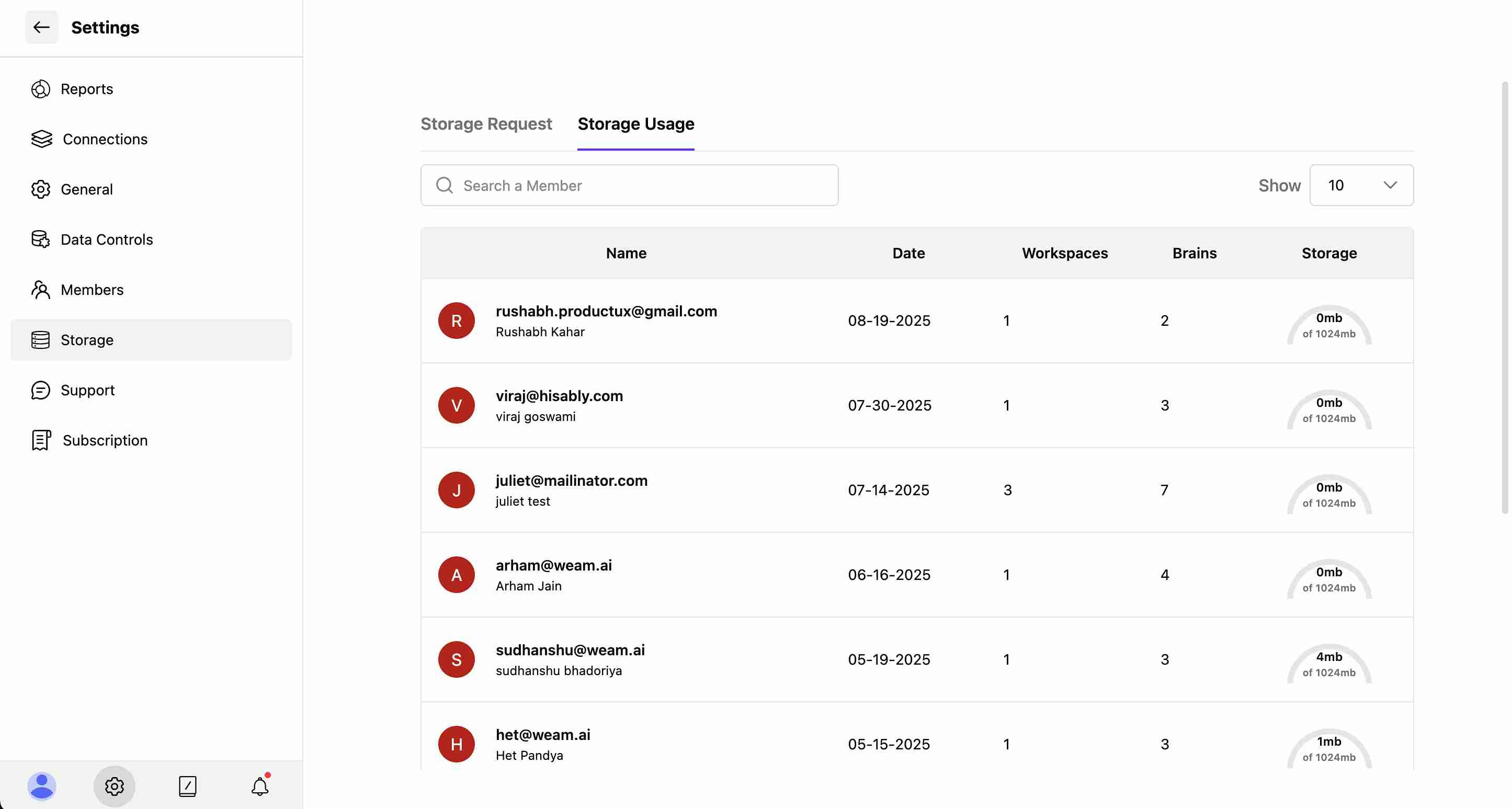
The Storage Usage tab provides detailed tracking of individual user consumption:
#### User Information Display
* **Profile Icons**: Visual user identification with colored avatars
* **Name**: User's full name and email address
* **Date**: Account creation or last activity date
* **Workspaces**: Number of workspaces the user has access to
* **Brains**: Count of Brains associated with the user
* **Storage**: Individual storage usage (e.g., "4mb of 1024mb")
#### Usage Tracking Features
* **Search Functionality**: Find specific users by name
* **Results Display**: Control how many users to show (e.g., "Show 10")
* **Storage Allocation**: Track individual usage against total allocation
* **Multi-User Overview**: Monitor storage consumption across the entire team
### User Storage Analytics
The Storage Usage tab provides detailed tracking of individual user consumption:
#### User Information Display
* **Profile Icons**: Visual user identification with colored avatars
* **Name**: User's full name and email address
* **Date**: Account creation or last activity date
* **Workspaces**: Number of workspaces the user has access to
* **Brains**: Count of Brains associated with the user
* **Storage**: Individual storage usage (e.g., "4mb of 1024mb")
#### Usage Tracking Features
* **Search Functionality**: Find specific users by name
* **Results Display**: Control how many users to show (e.g., "Show 10")
* **Storage Allocation**: Track individual usage against total allocation
* **Multi-User Overview**: Monitor storage consumption across the entire team