Overview Weam.ai supports Ollama , enabling you to run AI models locally on your machine for maximum privacy and control. This guide walks you through the complete setup process.What is Ollama? Ollama is a lightweight runtime for serving local LLMs (like llama3, qwen2, mistral) through a simple HTTP API. It allows you to run powerful AI models without sending data to external servers.
Prerequisites
Docker Desktop installed and running
Weam repository set up locally
Step 1: Start Ollama Service Run this command in your terminal to start the Ollama service:
Note: The initial download may take several minutes depending on your internet connection.
To stop the service later:
Follow these steps to connect Ollama to Weam:
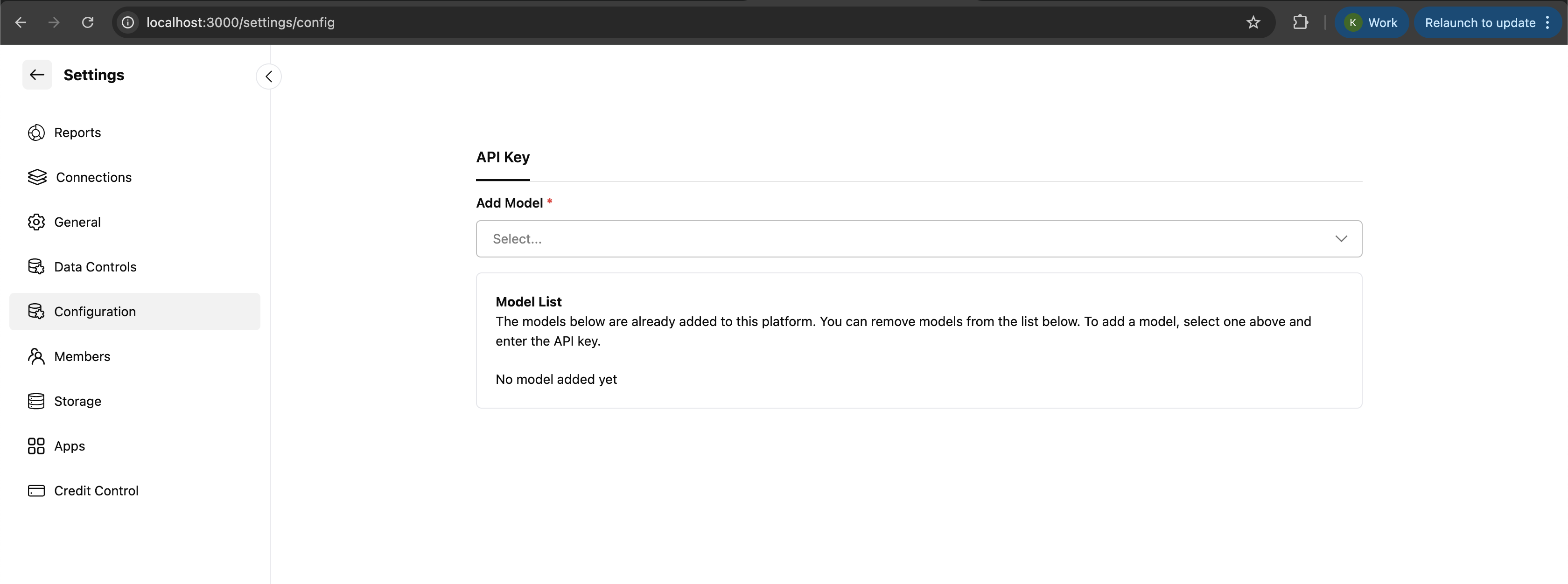
Navigate to Settings
Go to Settings → Configuration
Add New Model
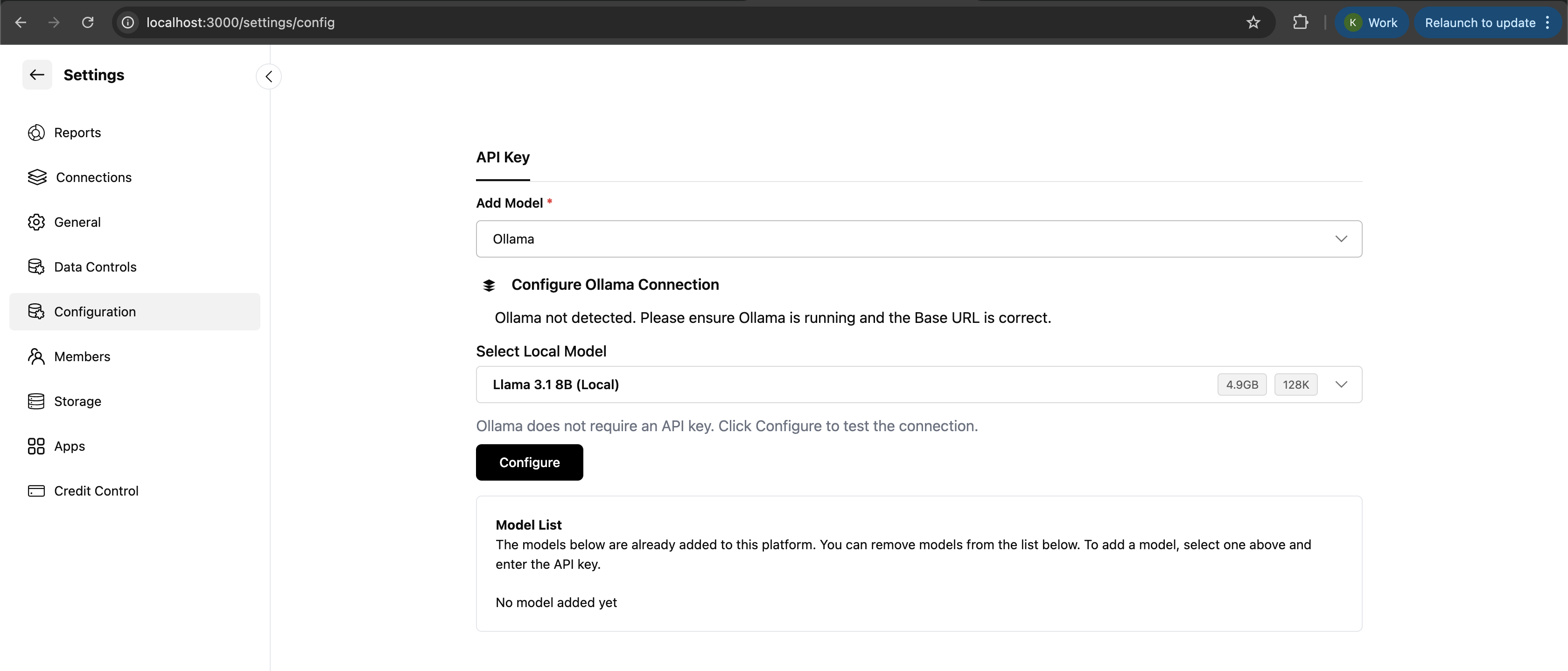
Select Ollama Provider
Select Ollama as the provider
Choose Your Model
Click Select Local Model
Choose your desired Llama model (e.g., llama3, qwen2, mistral)
Configure and Download
Click Configure
The model will be automatically downloaded and linked to Weam
You must add an OpenAI API key to see Llama models in the dropdown menu. Without a valid OpenAI API key, the Ollama models will not appear in the model selection dropdown.
Step 3: Verify Your Setup After configuration, verify that everything is working correctly:
Check Ollama Service You should see an Ollama container running.
Test Model Availability This should return a JSON response with your installed models.
Test in Weam
Open a new chat in Weam
Select your configured Ollama model
Send a simple message like “Hello, how are you?”
Verify the response comes from your local model
Available Models Ollama supports many popular models. Here are some recommended options:
Large Language Models
llama3 - Meta’s latest Llama model (8B, 70B variants)llama3.1 - Updated version with improved performanceqwen2 - Alibaba’s Qwen series (7B, 14B, 72B variants)mistral - Mistral AI’s efficient models (7B, 8x7B variants)codellama - Code-specialized Llama modelphi3 - Microsoft’s compact but capable model
Model Selection Tips
For general use : Start with llama3 (8B) - good balance of performance and resource usageFor coding tasks : Use codellama or qwen2-coderFor resource-constrained systems : Try phi3 or mistral (7B)For maximum capability : Use llama3 (70B) if you have sufficient RAM
Resource Requirements Different models have different resource requirements:
Troubleshooting Common Issues and Solutions Ollama container won’t start
Ensure Docker Desktop is running
Check if port 11434 is already in use
Try: docker compose -f nextjs/docker-compose.ollama.yml --profile cpu down then restart
Models not appearing in Weam dropdown
Verify you have added an OpenAI API key
Check that Ollama service is running
Restart Weam after adding the API key
Slow model responses
Check available RAM - models need sufficient memory
Consider using a smaller model if resources are limited
Close other memory-intensive applications
Model download fails
Check internet connection
Ensure sufficient disk space
Try downloading manually: docker exec -it <ollama_container> ollama pull llama3
Checking Logs To troubleshoot issues, check the logs:
Allocate More Resources
Increase Docker memory allocation in Docker Desktop settings
Ensure your system has sufficient RAM for the model size
Model Selection
Use quantized models when available (e.g., llama3:8b-instruct-q4_0)
Start with smaller models and scale up as needed
System Optimization
Close unnecessary applications
Use SSD storage for better I/O performance
Ensure good cooling for sustained performance
Security and Privacy Data Privacy Benefits
Local Processing : All AI inference happens on your machineNo Data Transmission : Your prompts and responses never leave your systemFull Control : You control the model, data, and processing environmentCompliance : Easier to meet data privacy regulations
Security Considerations
Keep your system updated with security patches
Use strong authentication for Weam access
Consider network isolation if running in production
Regularly update Ollama and model versions
That’s It! Once configured, you can use your local Ollama models in Weam chats, agents, and prompts. All inference will run locally on your machine, keeping your data private and giving you complete control over your AI experience.
⭐ Star us on GitHub